Note
If you have disabled the Getting Started Page, you can reenable it by unchecking "Hide Getting Started Link" in the Display section of the Configuration Admin.
The Getting Started page is designed to guide you through the basics of a Trackfinity setup allowing you to set up and start promoting offers as quickly and easily as possible.
The checklist will let you know what steps you have completed or have yet to complete. The sub-sections on the page are:
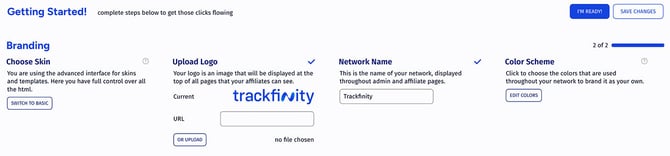
- Branding where you define the Name and logo, choose the skin and color theme.
- Mailing lets you define the system email addresses.
- Affiliates And Advertisers provides optional settings like having your network closed, reviewing affiliate accounts on sign up, etc.
- Offers - this is where you can set up your custom domain and create your first offer.
- Payments is optional and lets you configure affiliate payment periods and minimum payout
- Security allows you to optionally restrict access to a list of IPs
- Affiliate Dashboard Languages lets you configure which languages are supported for the Affiliate Dashboard.
Once ready, all the required sections will have a blue checkmark and you're all set.