
Creating Admin Accounts
Once a new affiliate account is created, you can give it administrative access by going to the Affiliates section and clicking the access type to the left side of their user id.
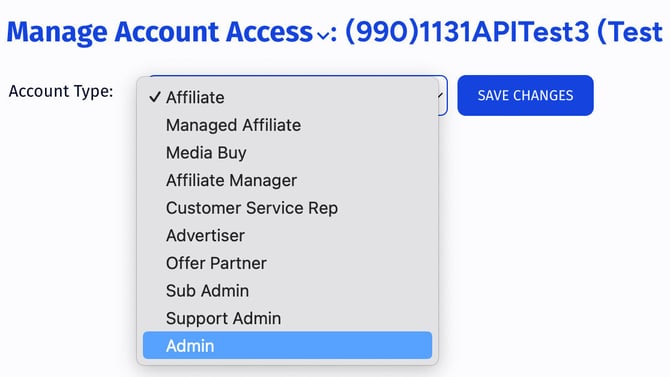
This will take you to the access settings page for the affiliate where you can set them as an administrator from the dropdown at the top of the page.
Restricting Admin Accounts
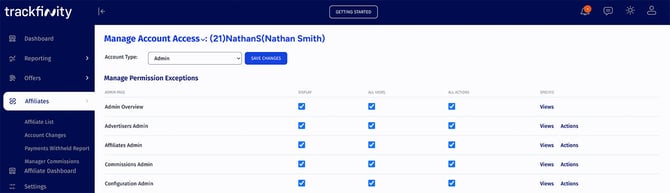
You can fine-tune admin access restrictions. To do so, visit the access settings page for the affiliate you wish to edit (as described above). Once at the "Manage Account Access" page, you will be able to use the displayed check boxes to allow or disallow access or permissions to specific views and or actions of the admin interface.
For more information on this feature, please see the "Permission Exceptions" section of our Affiliate Access Permissions article