
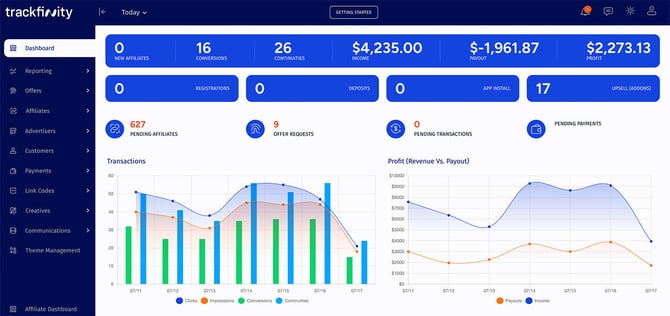
The charts and detailed summaries, provide quick access to vital statistics for your offers at a glance. This real-time data visibility helps you stay informed and make data-driven decisions effortlessly.
Time Period Customization:
At the top of the page you can change the time period for the loaded data. Click on "Today" (default) to display a form that allows you to select a predefined or custom time period.

The predefined timespan options are: - Today (default view) - Yesterday - This Week - This Period - Last Period - This Month - This Year
Statistics
Right below the charts, you will find data tables that provide an overview of:
- Network Summary
- Top Affiliates
- Top Offers
- Top Offer Groups
- Newest Affiliate & Advertiser Accounts
- Latest Affiliate Logins
Secondary Menu

At the bottom of the sidebar, you’ll find a fixed secondary navigation for quick access to essential areas. This includes:
- Shortcut to Affiliate Dashboard for an overview of your affiliate activities
- General Settings for managing your Trackfinity install's preferences
- Help (Documentation) for comprehensive guides