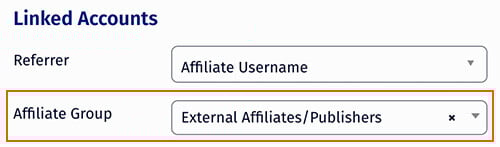
The Affiliate Groups feature, allows you to create and maintain groups of Affiliates. This makes it easy for program owners to quickly find the groups of Affiliates in the Reporting and Affiliates sections.
Adding Affiliate Group
To add a new group, simply click the button in the top right "Add Affiliate Group" - a pop-up will be displayed prompting you to define name and description for the new group.
Adding Affiliate to a Group
Select Modify Affiliates In Group from the Actions button.

All affiliates assigned to the group are listed. Select the affiliate you want to add and click the Add Affiliate button next to the selection dropdown.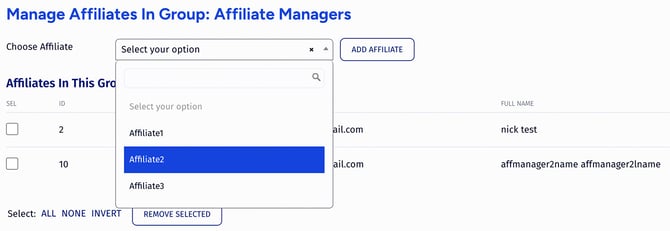
Removing Affiliate from a Group
Same as in the process of adding one, you can remove any affiliate from a group. Enter the list of affiliates in the group and select the one you want to remove and click the Remove button at the bottom of the affiliate list.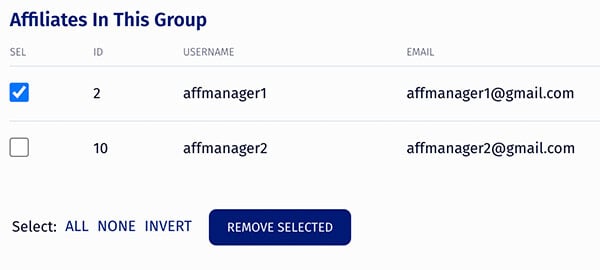
Using Affiliate Groups
Set any Affiliate Group in a Reporting section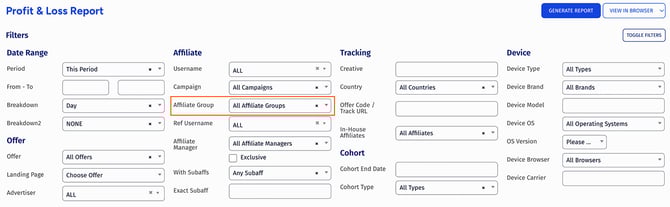
or when displaying statistics for Affiliates by using the advanced form (under Linked Accounts).